Wallet Cash as an Instant
How does Wallet Cash work
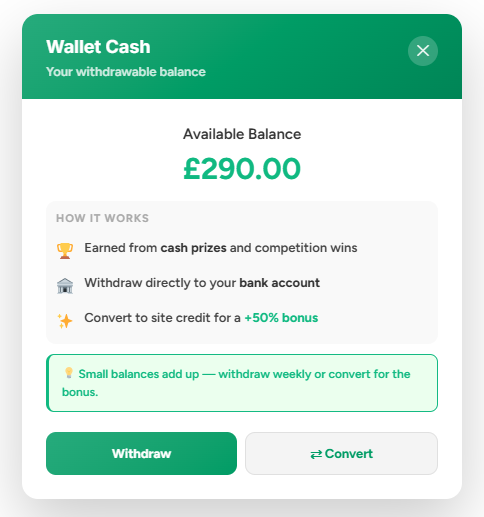
Wallet Cash is a cash prize that is instantly credited to the winner’s wallet the moment they win, with no need to manually claim it. It can also be combined with other payout methods, and if a customer selects a cash payout while Wallet Cash is enabled, it will be automatically included and handled accordingly.
For competition owners, this helps reduce the volume of withdrawal requests, lowering banking and processing fees, while also encouraging users to spend smaller balances on the platform when they fall below the minimum withdrawal threshold.
Wallet Cash is tracked separately from Site Credit. Only the Wallet Cash balance is eligible for cash withdrawal. Any credits earned through other sources, such as referrals or manual top-ups, are treated as Site Credit and cannot be withdrawn as cash.
This is explained to the Customer on Payouts Portal & Wallet
How can Customers use it?
Customers have two options:
Convert it the Wallet Cash balance is show on Payouts & Wallet pages, you can incentivise customers to convert their cash into site credit with a bonus.
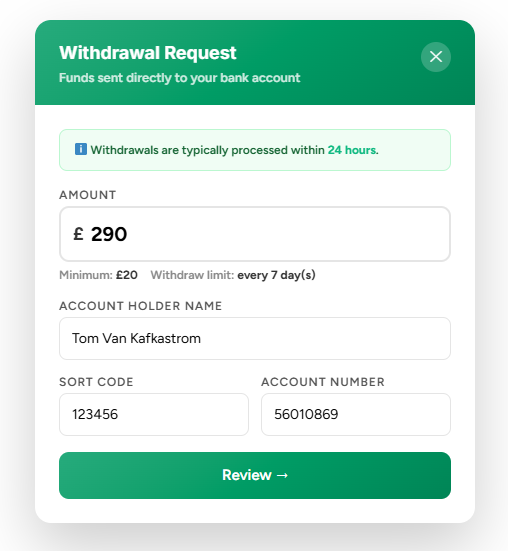
Withdraw it If customers would prefer the cash paid directly to their bank account, they can request a withdrawal from the Wallet Credit section of their wallet. They will need to provide their bank details which will be sent to admins to be processed.

Converting Wallet Cash to Site Credit
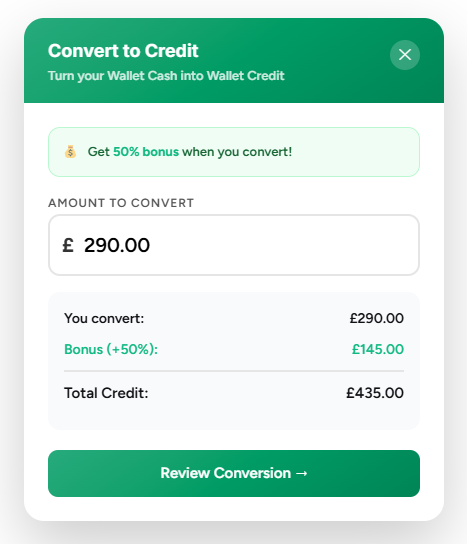
Customers can convert Wallet Cash directly from the same page where withdrawals are made as shown in the screenshot above. If a bonus is configured, it will automatically be shown and applied in real time, calculating exactly how much site credit the customer will receive based on the amount they choose to convert.
Withdrawing Wallet Cash
Customers can withdraw any available wallet cash through their Wallet under "Wallet Cash" in the same area that they can convert to Site Credit.

Setting up Wallet Cash
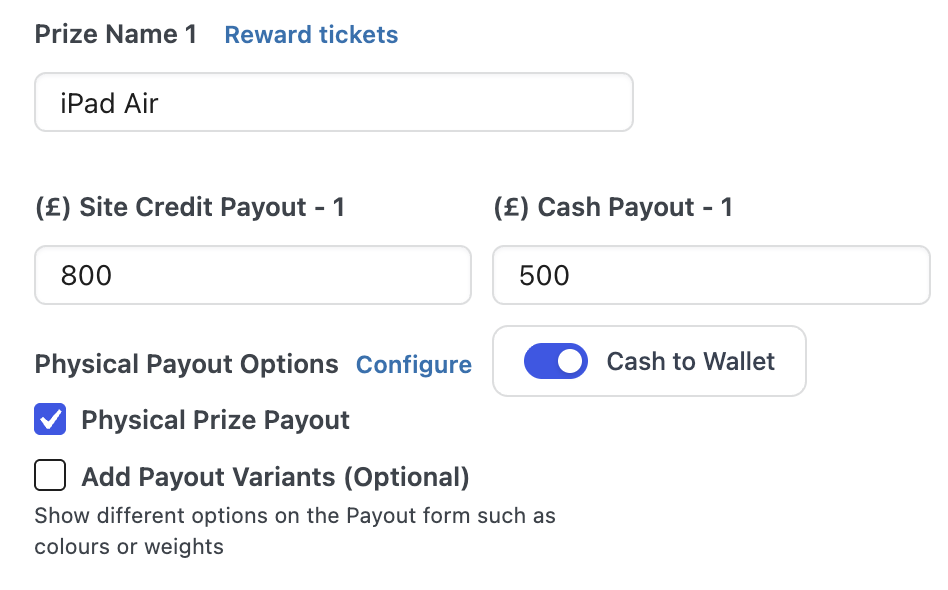
If enabled, any Cash Payout will be converted into Wallet Cash. This will be automatically credited to the customer if the instant is Cash Only.
If this instant has multiple payout options selecting Cash Payout when claiming will instead credit the amount as Wallet Cash.
Wallet Cash is not the same as Site Credit, Wallet Cash cannot be directly spent at Checkout, it can only be converted or withdrawn.
Admin Dashboard for Withdrawals
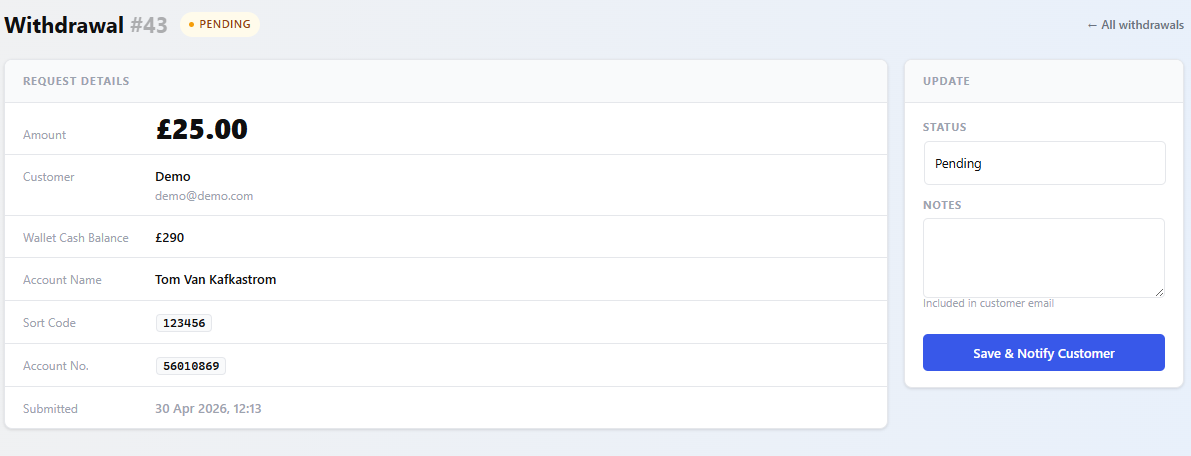
Cash Withdrawals can be marked as paid or rejected. In the rare circumstance a withdrawal needs to be rejected, such as if their bank details are invalid, the wallet cash is refunded back to their wallet.

You can add notes which are sent in the email notifications to customers, this can be important if you reject a withdrawal and want to communicate the reason for it.
Settings
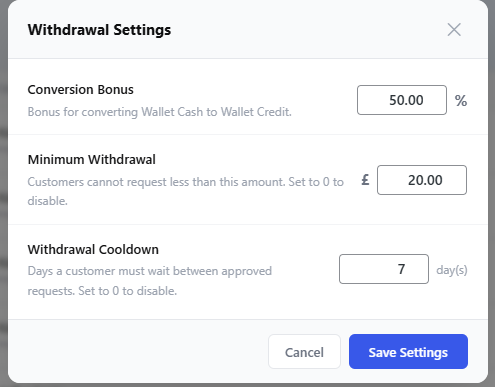
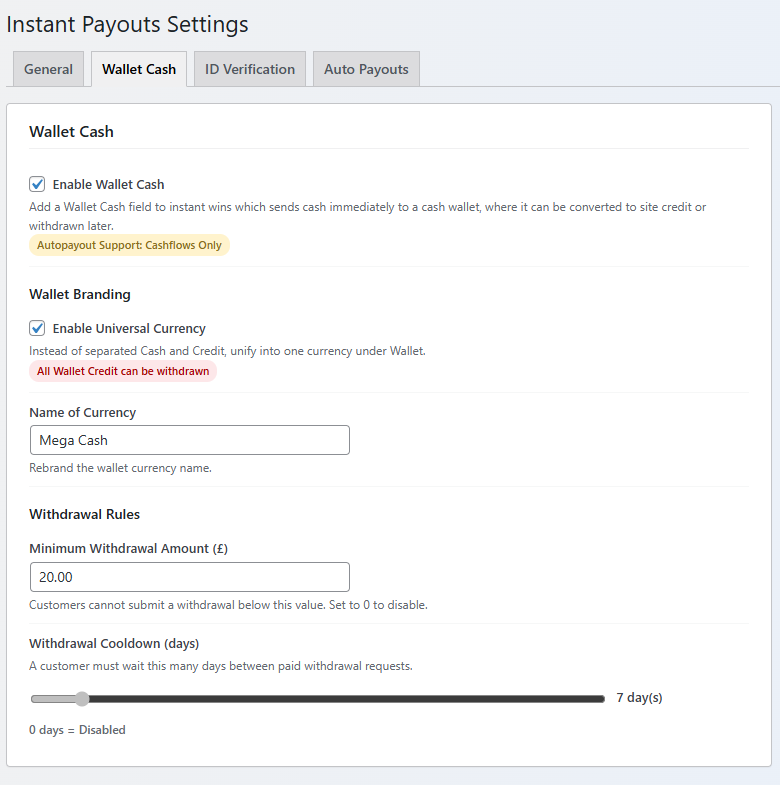
On the Withdrawal Dashboard you will see "Adjust Settings" which will open a popup
Email notifications
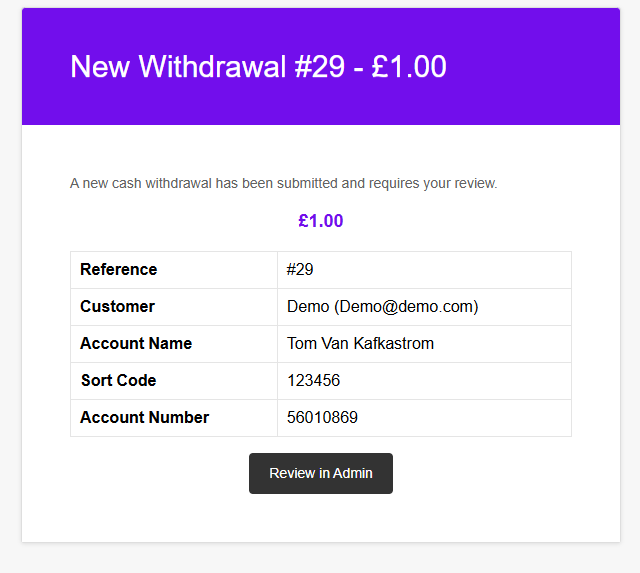
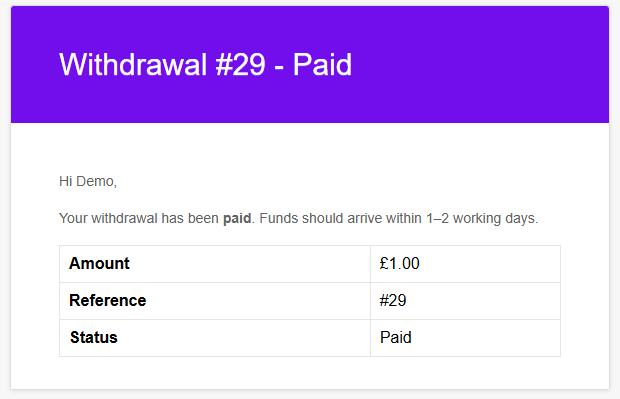
Customers will be notified when their withdrawal has been processed or rejected.

Wallet Cash Settings
Auto Payouts
We also have integration for Auto Payouts which will save admin time, payments are processed within minutes, customers can connect their bank on the Payouts Portal or Wallet Cash page
